The Setup Flow That Taught Itself
Team
Product Designer
2 Engineers
Product Manager
My Role
End-to-end UX, Interaction Design, System Architecture
Duration
4 weeks
TL;DR
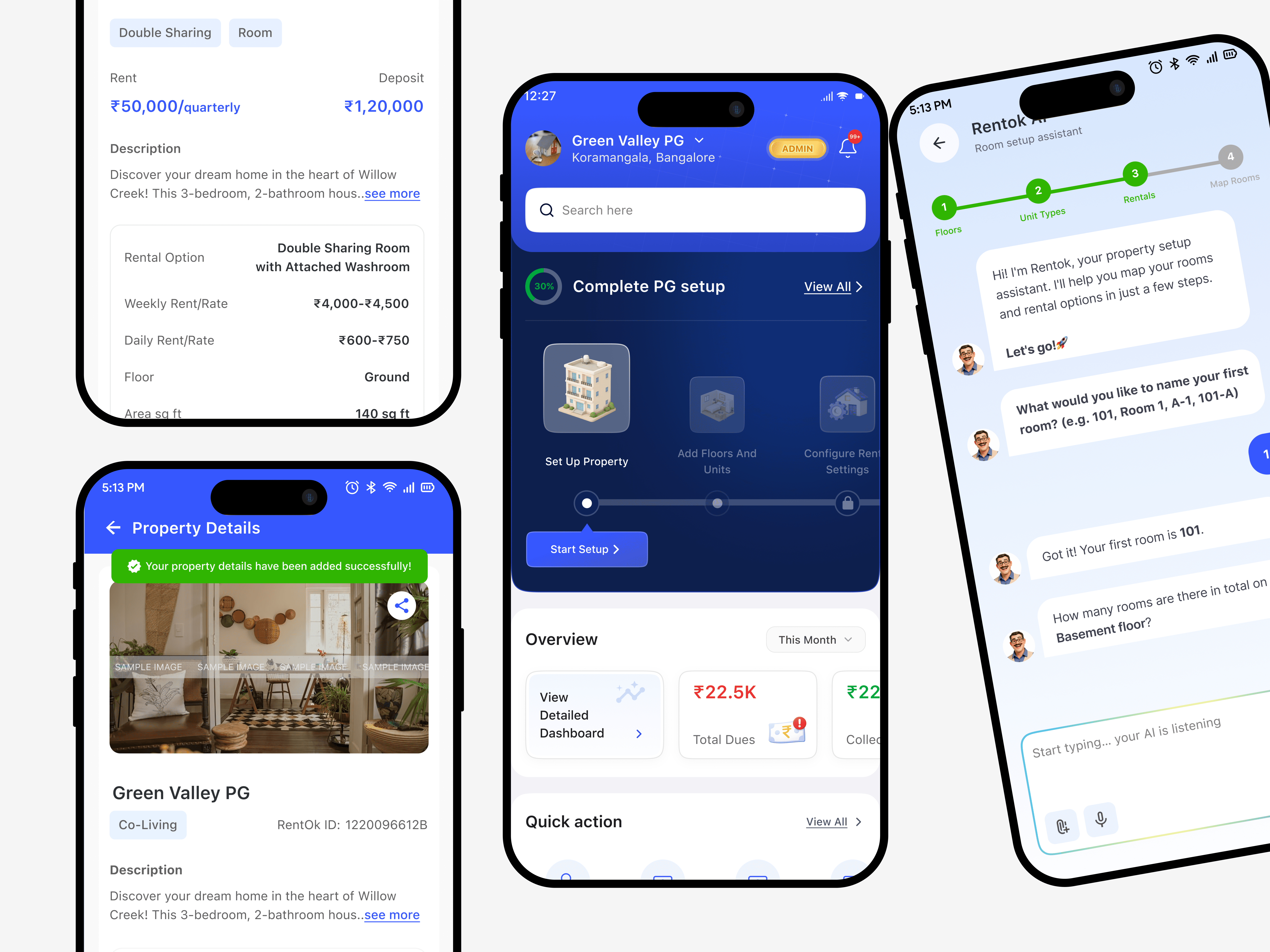
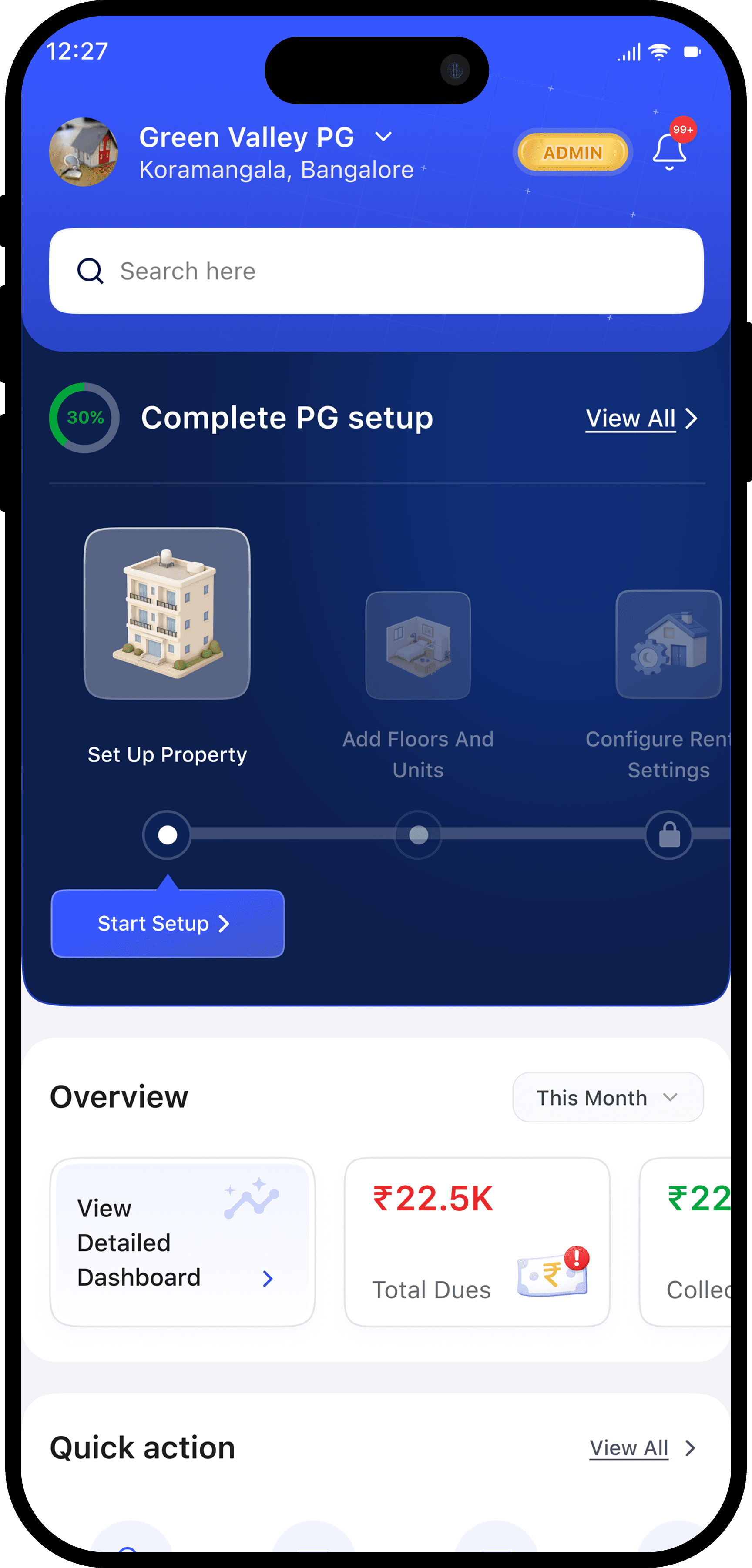
Every new RentOk account started with a 60-90 minute support call: a rep manually typing someone else's property into the system while the owner watched, then leaving without knowing where any of it lived. So we replaced the form with a conversation: the AI asks a few simple questions, auto-generates 100+ room names from patterns, duplicates floor layouts in one tap, and cascades every answer across the product, so owners build their own property instead of watching someone else build it for them.
Now property managers set up in 15-20 minutes and actually understand what they built, because they built it themselves, instead of watching someone else do it for them.
The Challenge
How do you turn a 90-minute support call into a conversation that teaches the system as it builds it?
My first instinct was to make the existing form smarter: better suggestions, bulk actions, progressive disclosure. It tested faster, but people still didn't understand what they'd built. The form wasn't the problem. So the real goal became this: make setup the only five minutes a new owner pays attention, and the only chance to teach them how floors, rooms, and rental options actually fit together.
What was Broken?
100 room properties meant manually entering every floor, room name, and rental option individually
Users finished setup but didn't understand the app. They'd just followed instructions robotically
Within days, users were calling back asking "where do I find my rooms?" because onboarding never taught them where anything lived
Every account meant another 60-90 minute call. Onboarding wasn't a one-time cost, it was a permanent tax on support
The Shift
01
Conversational setup instead of forms
02
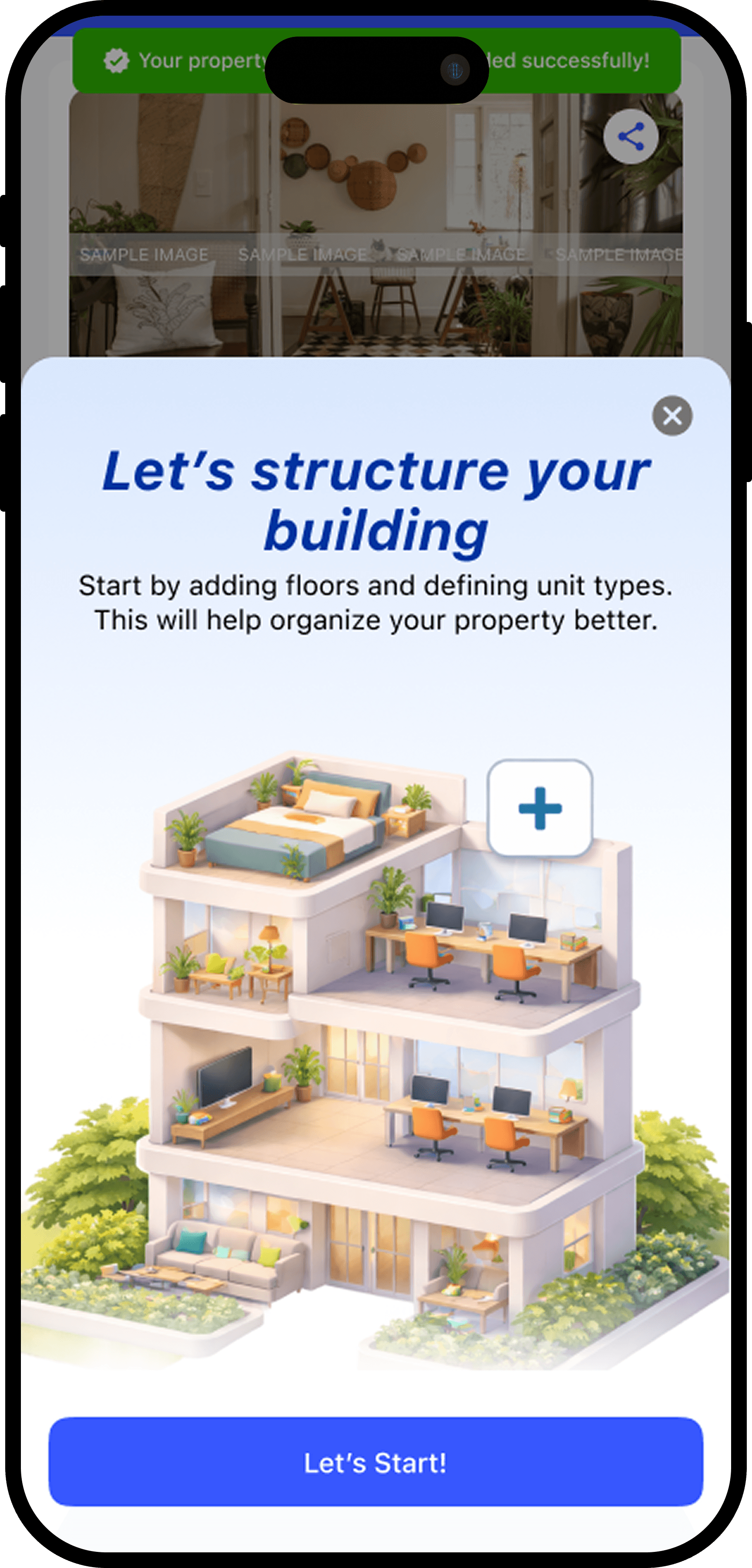
Duplicate entire floors data with one tap
03
Property data cascades everywhere
04
More than 100 rooms built from few answers
04 decisions that made it work
Conversation Replaces Forms
I was nervous this would feel gimmicky to owners who'd never typed a message to a chatbot in their life. Our users aren't tech-savvy, so I considered a "Skip AI, enter manually" option, but worried people would pick it out of fear and then quit halfway through typing 100 room names. So the AI chat became the default, with a "Get Expert Help" button always visible as the way out. In the pilot, a handful of owners tapped it, every single time, before the AI had even asked its first question. Once someone answered and watched it respond correctly, nobody left. The hesitation was at the door, not in the room.
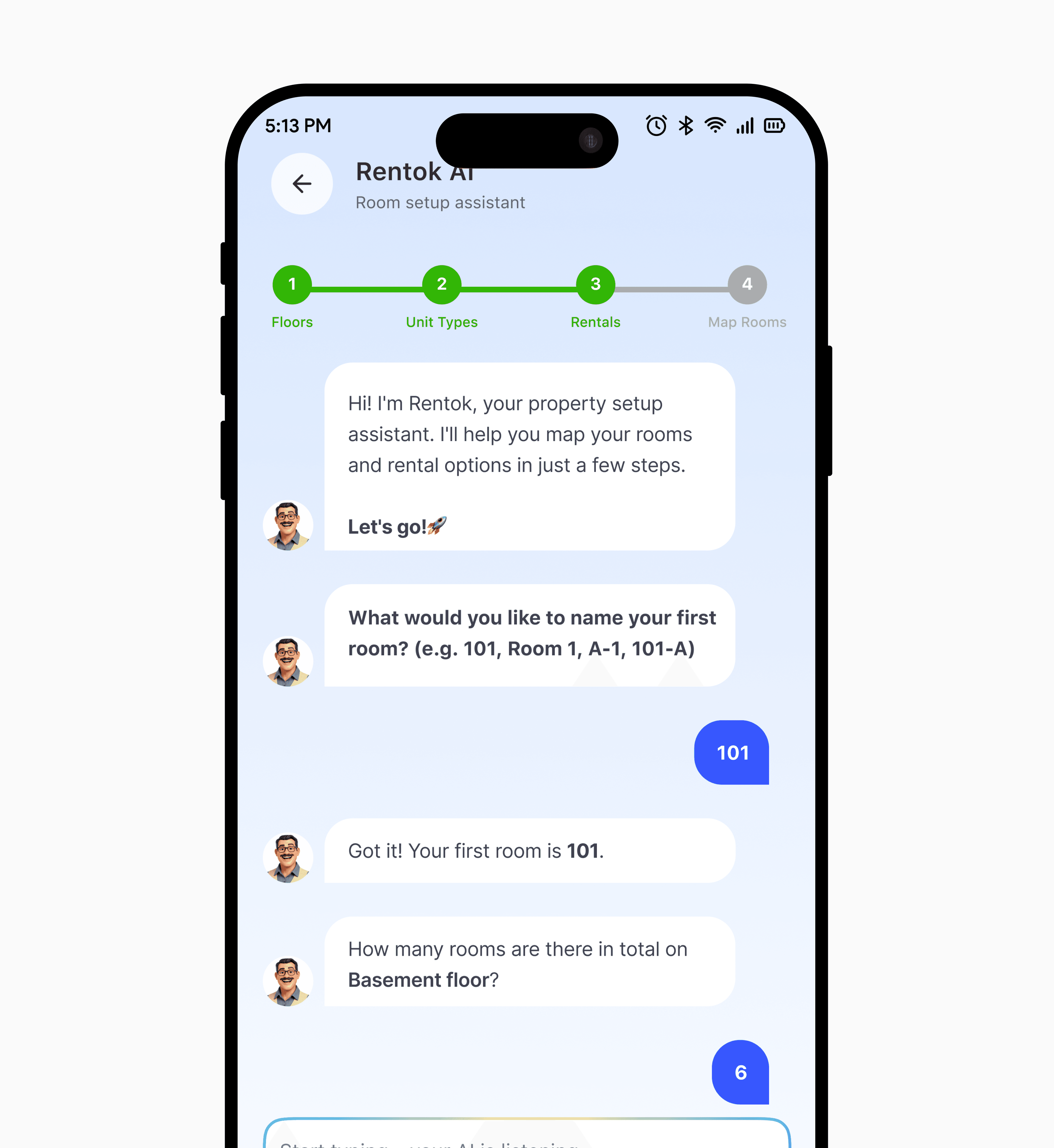
The Built-In "Aha" Moment
When the conversation ends, there's no "setup complete" screen. The owner lands straight on their dashboard, and it's already full. Every floor, every room, rent assigned. I watched more than one pilot owner react with some version of "wait, it already did all this?" Exactly. The product had already proven itself, before asking them to trust it with anything else.
Pattern Detection Generates Rooms
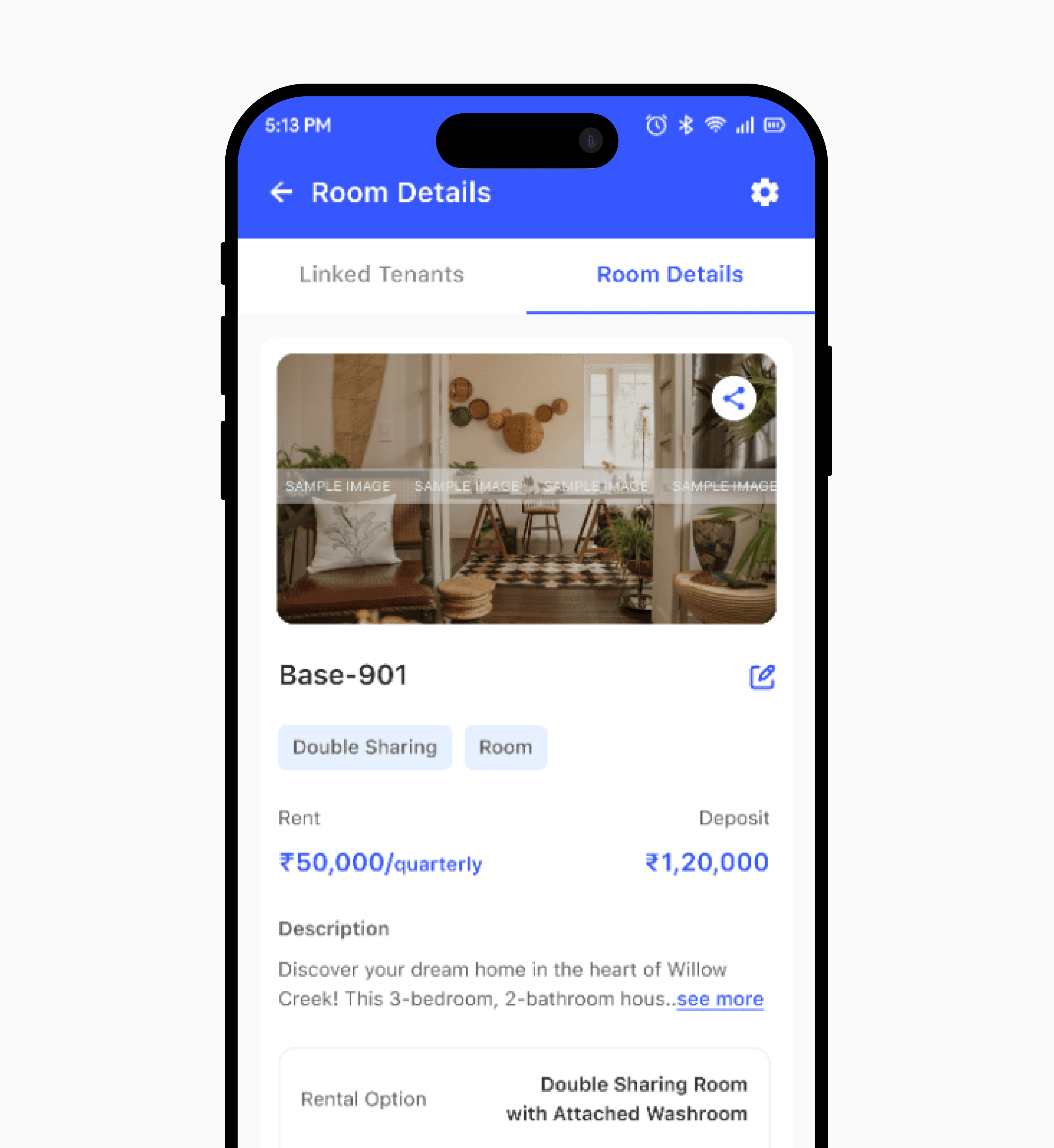
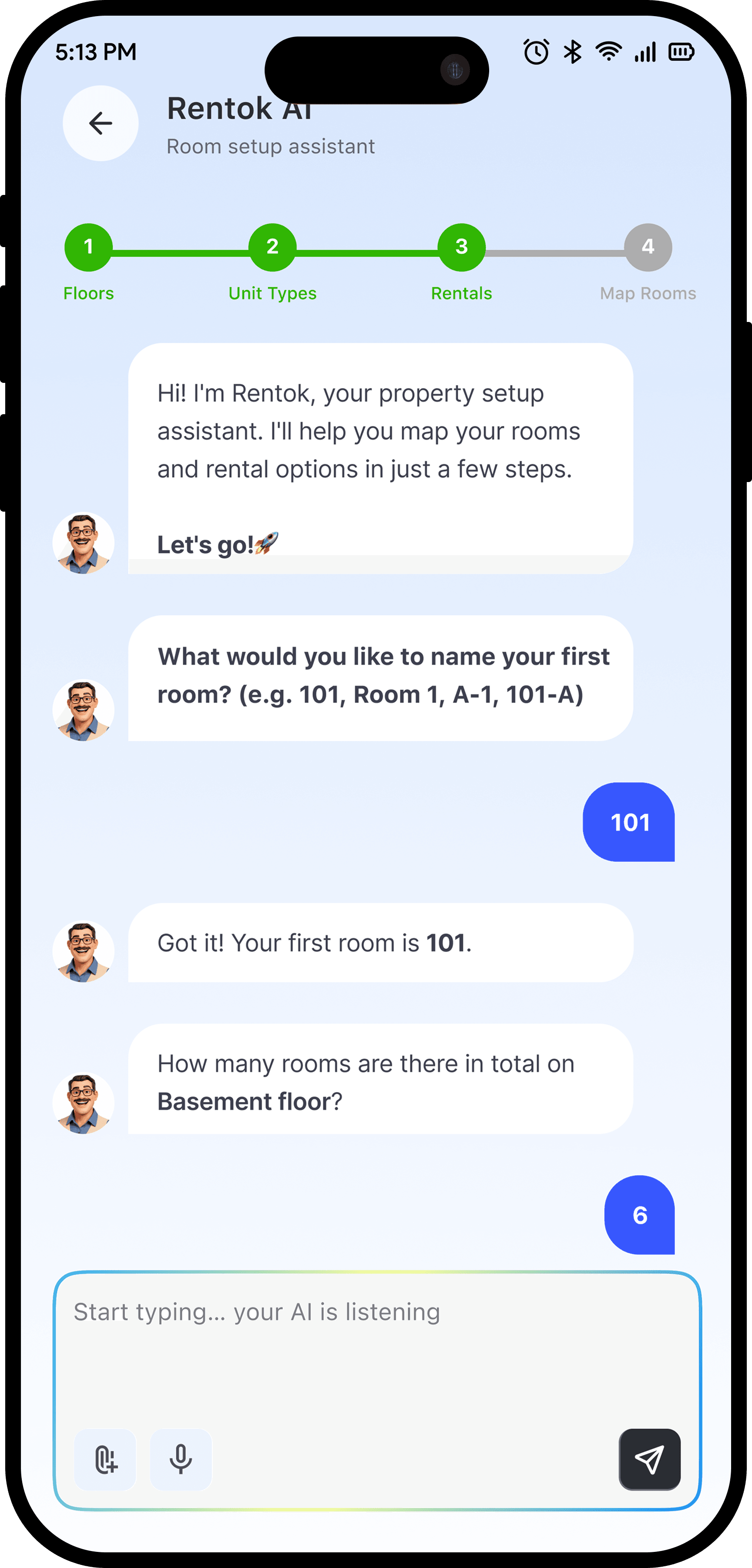
Room names follow a pattern, so the AI does too. One name and one count ("Room 101" times ten) becomes 101 through 110 automatically, with a quick check for anything irregular along the way. Twenty minutes of typing became about thirty seconds of reviewing.
One-Tap Floor Duplication
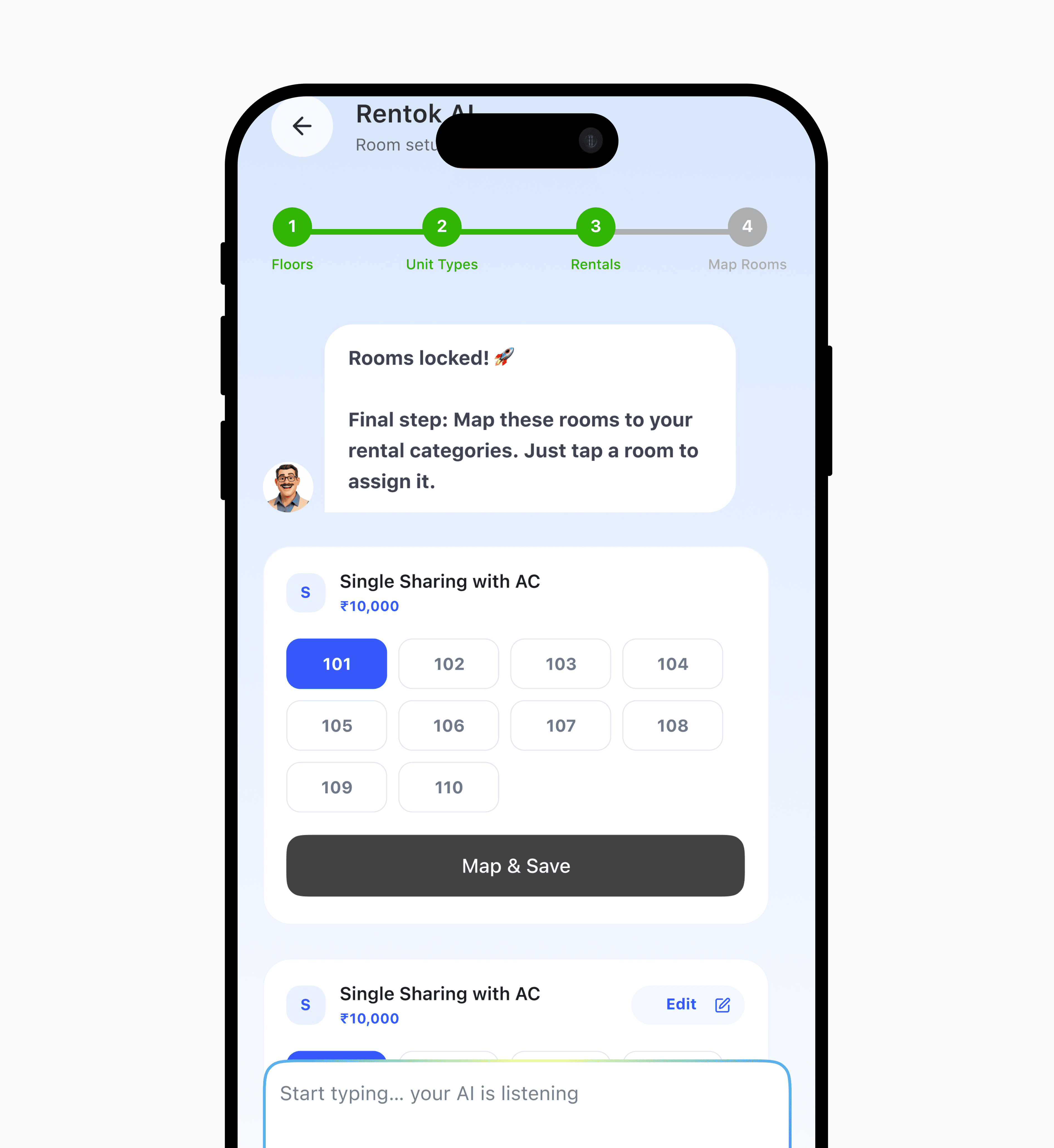
Once the first floor is set up, copying that structure across every other floor is one tap, roughly 80% less work on a five-floor property. And nothing gets typed twice: every answer shows up immediately wherever it's needed (rent collection, tenant assignments, floor plans) instead of sitting in a "setup" bucket the rest of the product has to catch up to later.



What Changed & What I Learned
Property setup time dropped from 60-90 minutes to 15-20 minutes. 60-70% of new properties now finish setup with zero support call, compared to almost none before. At our pilot volume, that freed up roughly 25-30 hours of support time a week, redirected from data entry to retention calls.
The pilot properties were clean: sequential rooms, simple floor plans. Messier ones, with mixed unit types and mid renovation numbering, are next, and the "confirm this pattern" step will need to get smarter before it holds up there. But the bigger shift wasn't the AI. It was realizing "easier" and "understood" aren't the same thing. Understood is what stopped the support calls.
How AI onboarding turned confused users into confident property managers
Team
Product Designer 2 Engineers Product Manager
My Role
End-to-end UX Architecture Design
Duration
3-4 weeks
TL;DR
Support teams were drowning in 1–2 hour onboarding calls, and users still had no clue how RentOk worked afterward. So, built an AI onboarding flow that asks simple questions, auto generates 100+ room names from patterns, and pulls property data across every screen so users never enter the same thing twice.
Now property managers onboard in 15–20 minutes and actually get it, because they built their property themselves instead of watching someone do it for them.
What was Broken?
100 room properties meant manually entering every floor, room name, and rental option individually
Users finished setup but didn't understand the app. They'd just followed instructions robotically
Users called back asking basic questions because onboarding never taught them the system
Support teams buried in 1–2 hour onboarding calls instead of solving real problems
The Challenge
How do you turn a 2 hours support call into a self-serve flow that actually teaches users the system?
The goal wasn't just to automate data entry. It was to make property managers understand the structure they were building (floors, rooms, rental options) so they could manage it independently later.
The Shift
01
Conversational setup instead of forms
02
Duplicate entire floors data with one tap
03
Property data cascades everywhere
04
More than 100 rooms built from few answers
04 decisions that made it work
Conversation Replaces Forms
I knew conversational AI would feel faster than forms. But would property managers trust it? Our users aren't tech savvy. I debated adding a "Skip AI, enter manually" option, but realized users would pick it out of fear, then quit halfway through typing 100 room names. So I made the AI chat mandatory but added an escape hatch: "Get Expert Help" is always visible. If they panic, support picks up where they left off. In testing, no one used it. The chat just worked.
The Built In "Aha" Moment
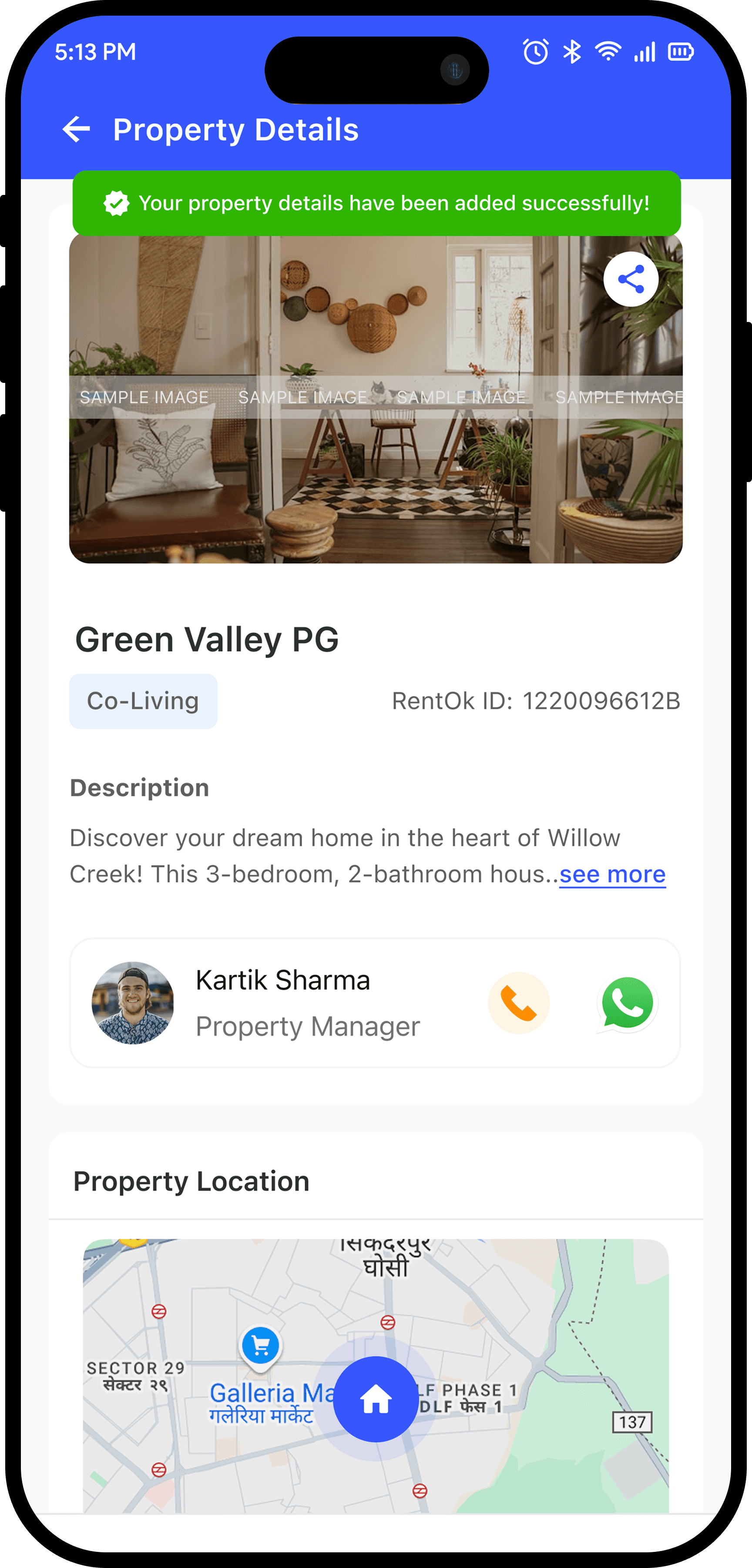
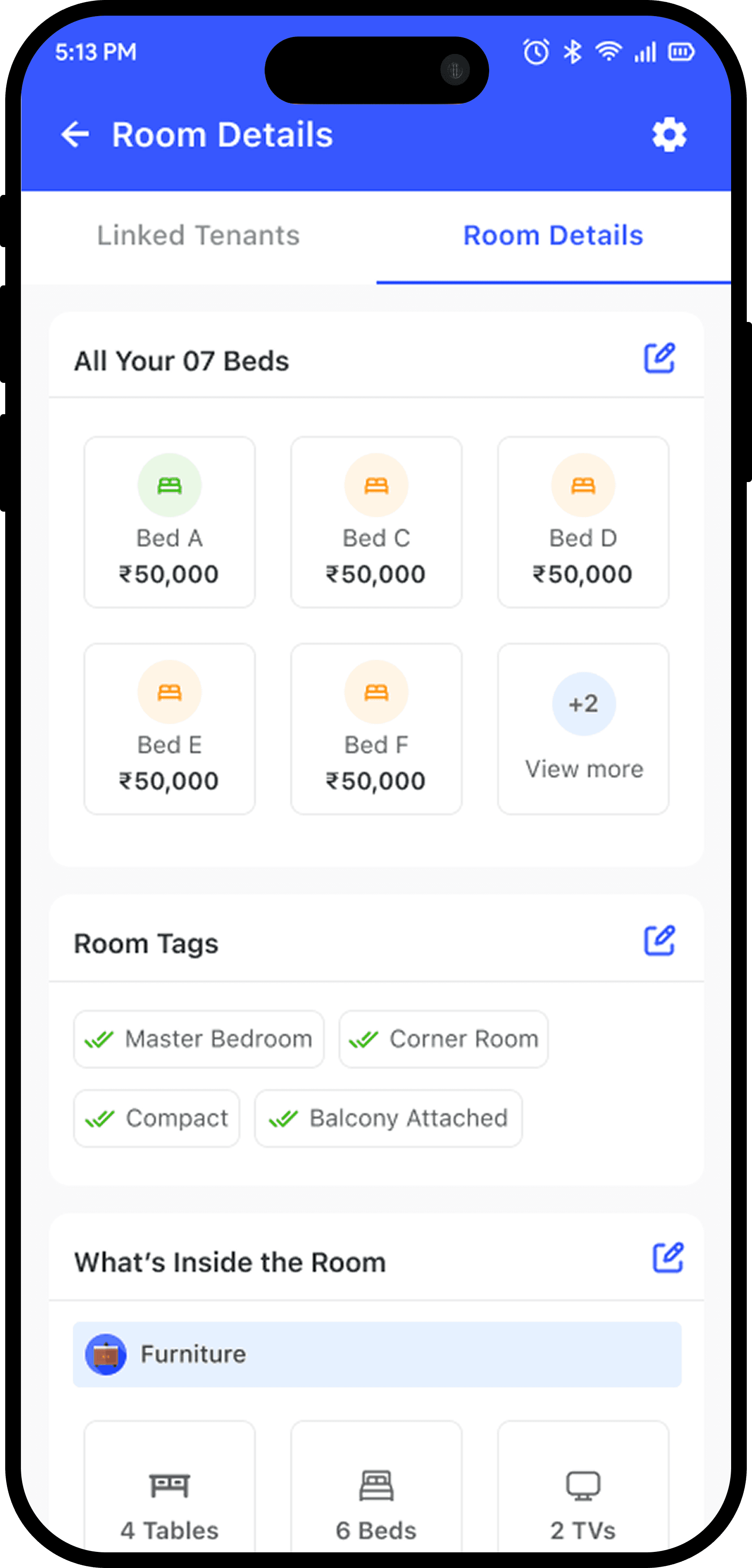
I watched the user finish the AI chat, land on the Room tab, and freeze. "Wait, where's the rest of the form?" He tapped a room card. Saw the rent, furnishing, amenities. All there. That's the moment. He thought he was answering questions. The system was building everything else. The surprise is the feature.
Pattern Detection Generates Rooms
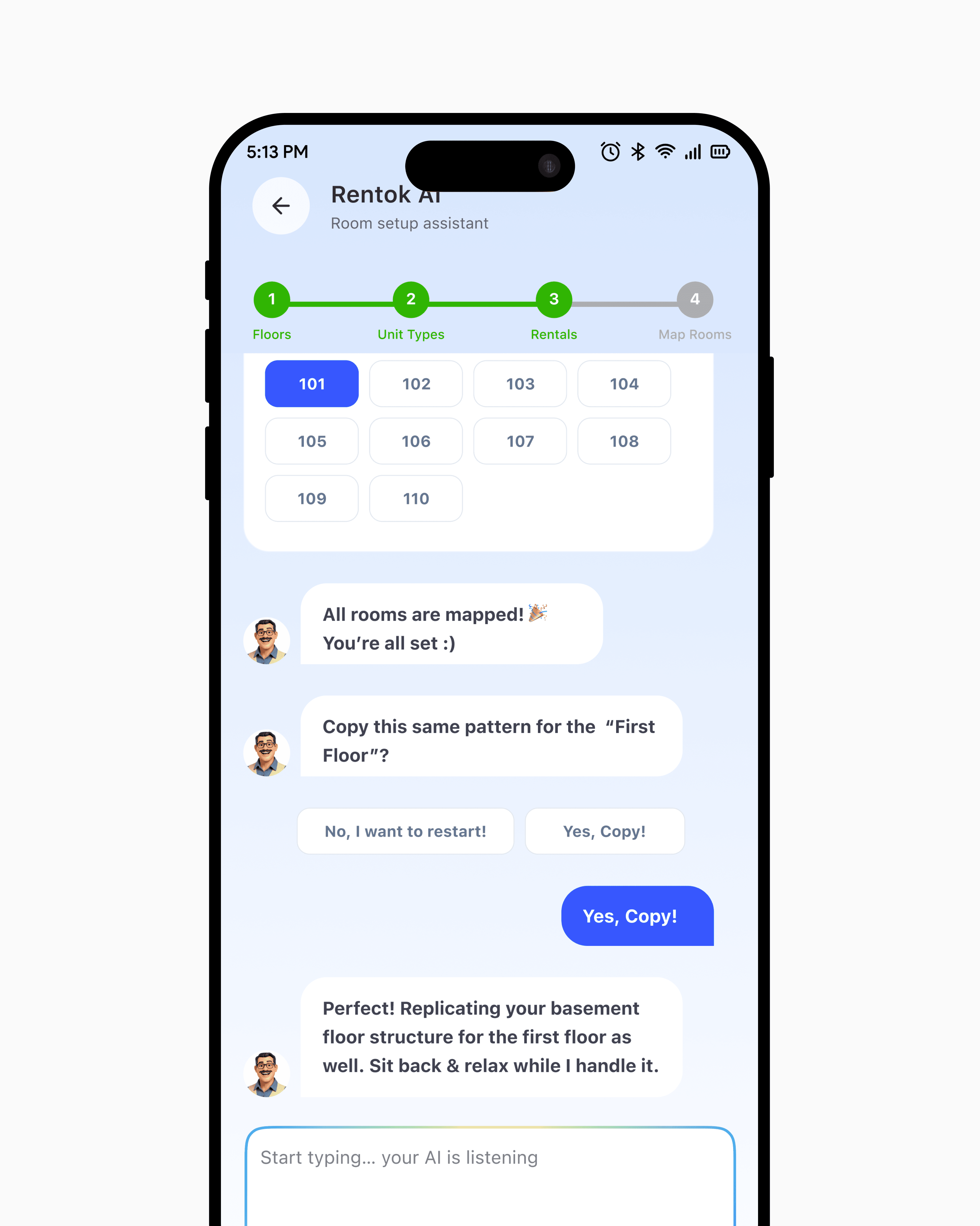
The AI asks three questions: "What's your first room?" (User: 101), "How many on Basement floor?" (User: 6), then auto generates 101, 102, 103, 104, 105, 106. Users review the list, edit if needed, and lock it in. This "AI suggests, human confirms" pattern cuts room naming from 20 minutes of typing to 30 seconds of reviewing.
One Tap Floor Duplication
After setting up the Basement (6 rooms, 101–106), the AI asks: "Copy this pattern for 1st Floor?" Tap YES and all 5 floors are done in 2 minutes. Tap NO and the flow restarts for custom naming per floor. This single feature cuts 5 floor setup time by 80%.
What Changed & What I Learned
Property setup time dropped from over an hour to under 20 minutes. 60–70% of managers now complete setup independently, without a support call.
Removing choices built more trust than adding them. The AI chat worked because it mirrored how managers already describe their properties over support calls. Designing this taught me that onboarding is never just a feature. It is the moment a user decides if the product is worth their time.

“The flow went from something people needed hand holding to finish, to something they actually finished. That's when you know you've designed the right solution.”